Messages - SMS Texting App
- 4.4
- Rating
- 10.00M
- Installs
- Free
- Price

 Analysis by App-foxy
I approached Messages - SMS Texting App as a practical replacement for the standard texting tool, not as a feature-packed social platform. That distinction matters. Its purpose is simple: keep conversations with your contacts quick and easy to reach. After using it in that role, my view is that it works best for people who want a lighter messaging experience and do not need their SMS app to become a complete communications hub.
The app sits in the communication category and is developed by Battery Stats Saver. It is free to install, carries an Everyone age rating, and supports devices running Android 6.0 or later. Its current version is 2.8.14, so it is aimed at a broad range of Android phones rather than only the newest hardware. The public response is also substantial, with an average rating of 4.5 from roughly 139 thousand ratings and more than 10 million installs.
What using Messages feels like day to day
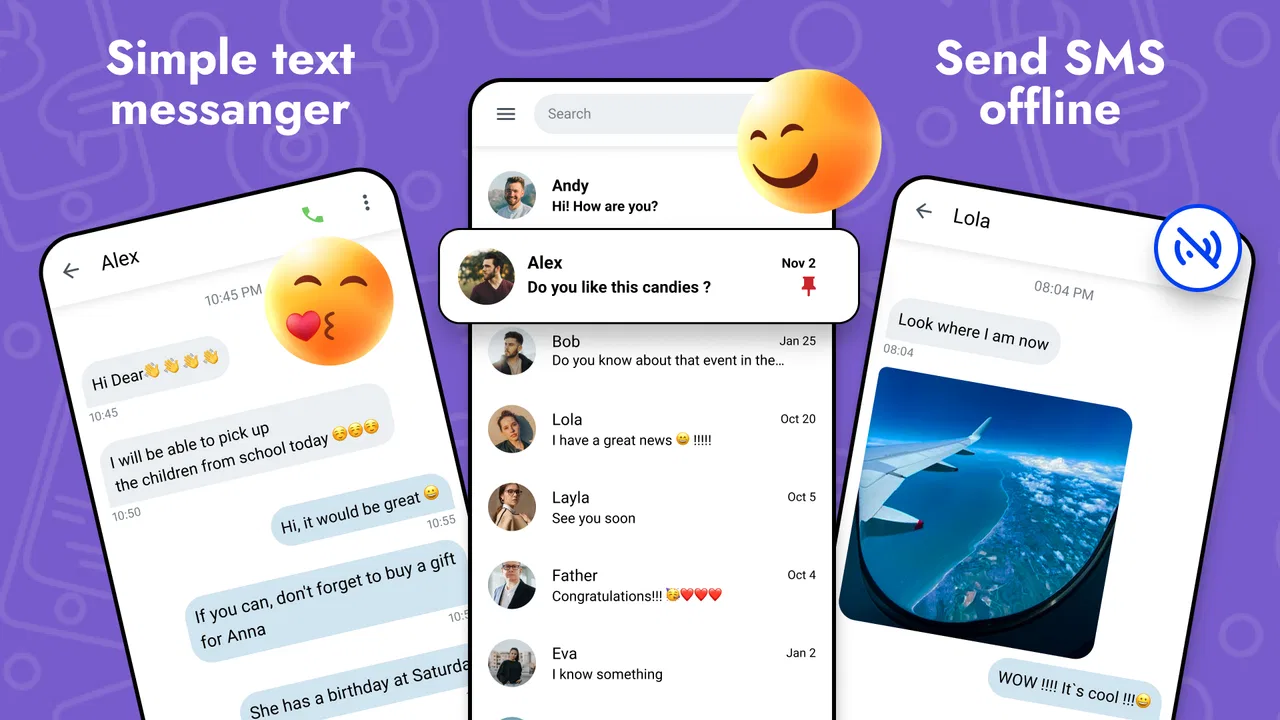
The first thing I noticed is how clearly the app stays focused on ordinary texting. You open it to find conversations, choose a contact, and send a message. That straightforward approach is its main strength. There is no pressure to learn a new social network, create a separate identity, or persuade every contact to install the same service before a conversation can begin.
You May Also Like

 Blood Strike: 2.5 Anniversary
Blood Strike’s Loadouts Turn Every Drop Into a Tactical Gamble
A close look at Blood Strike’s custom loadouts: how fast access to signature weapons reshapes its battle royale rhythm, rewards preparation, and narrows the gap between fights.

 Pandora - Music & Podcasts
Pandora’s Music Is Easy to Start, but Harder to Recover
Pandora’s strength is its low-effort path from a seed to a station. Its weak spot is how much confidence it asks you to place in connection, setup, and quiet recovery.

 8 Ball Pool
 Is Built on Rivalries, Rematches, and Routine
A close look at the rivalries, rematches, shared routines, and unanswered safety questions that turn a quick pool match into a persistent mobile community.

 Samsung Music
’s Quiet Strength Is Playing What You Already Own
Its reach comes less from spectacle than from dependable access to a personal library. That simplicity is both the app’s strongest retention engine and its ceiling.

 AccuWeather: Weather Radar
AccuWeather Review: A Quick, Clear Forecast for Everyday Decisions
For everyday plans, the best forecast is the one you can understand quickly. AccuWeather makes rain timing, radar, and local conditions easy to act on, with a few trade-offs.

 Hill Climb Racing
Why Hill Climb Racing Still Turns Crashes Into One More Run
A tiny car, a bumpy hill and one more upgrade: Hill Climb Racing keeps resurfacing because its simple chaos makes every near-miss feel personal.
More From Our News Desk



That makes it useful in situations where SMS remains the most dependable option. I would consider it for keeping in touch with relatives who use different phones, confirming an appointment with a business, sending a quick update while traveling, or maintaining a conversation with someone who is not active on an internet messaging service. In those cases, the value is not novelty; it is reducing the distance between opening the app and sending the message.
The store summary describes it as a faster version of Messages and a messenger for contacts, but I think the more useful way to understand it is as a focused alternative to the phone’s built-in texting experience. It does not need to replace every communication app on your device. Instead, it can serve as the place you return to when the task is simply sending and receiving text messages.
That narrow purpose also makes the app easier to judge. I am not looking for advanced community tools or a large collection of extras here. I am looking at how well it handles the everyday rhythm of short conversations: finding the right person, reading recent messages, replying without unnecessary steps, and keeping the app understandable when you are in a hurry.
The strongest reason to try it
For me, the strongest argument is accessibility. Because the app works with the familiar idea of contacts and text conversations, it has a low learning curve. Someone who is uncomfortable with complicated messaging services can usually understand the basic flow quickly. That is especially helpful when setting up a phone for a family member who wants a dedicated place for texting without a crowded interface.
The broad Android support is another practical advantage. A minimum requirement of Android 6.0 means the app is not restricted to recent phones. If you are keeping an older device in service, using a budget handset, or handing down a phone, compatibility is less likely to be the first obstacle. I would still check how the app behaves on a particular device, but its operating-system range makes it more approachable than an app designed only for current hardware.
I also like the possibility of separating texting from heavier communication platforms. Internet messengers often combine chats with channels, stories, calls, media feeds, stickers, and account settings. Those additions can be useful, but they can also make a simple reply feel buried. A dedicated SMS application gives the task a clearer boundary: open it when you need your text conversations, then leave when you are done.
That separation can improve concentration in a small but meaningful way. If your goal is to send a delivery instruction or answer a family message, an SMS-focused app is less likely to pull you toward unrelated content than a social platform. It is not a productivity system in the formal sense, but its limited scope can make communication feel more deliberate.
A realistic everyday scenario
Imagine that I am leaving work and need to tell someone at home that my arrival time has changed. The person I am contacting may use a different phone brand, may not have the same chat service, and may not be online in an app that depends on an internet connection. With Messages - SMS Texting App, I can open the conversation, write the update, and send it as a normal text.
That scenario also shows the app’s limits. SMS is not the same as an internet messenger. A text conversation is not automatically a shared workspace, a group feed, or a media library. If I need large files, rich collaboration, extensive reactions, or a conversation that stays synchronized across several devices, I would choose a different kind of service. The app is most convincing when the communication itself is modest.
Another useful workflow is using it as a dedicated contact-checking point. When I receive a message from a number I do not immediately recognize, I can review the conversation in the same place as other texts rather than searching through several platforms. This is not a dramatic feature, but it helps when your contacts are spread across work apps, social networks, and traditional messaging.
Where the simple approach becomes a weakness
The same focus that makes the app approachable may feel restrictive to experienced users. If you expect a modern internet messenger with elaborate media handling, synchronized conversations, voice and video communication, or a large set of customization tools, this is probably not the right destination. I would not install it expecting SMS to suddenly behave like a full online chat platform.
There is also a practical trade-off in changing from the phone’s default messaging app. People often rely on the built-in application because it already fits the device’s contacts, notifications, and habits. Moving to another SMS tool can mean adjusting routines and deciding which app should handle incoming messages. Before making the switch, I would test the basic flow rather than assuming that a replacement will feel identical on every phone.
That testing is particularly important if you depend on texting for time-sensitive communication. I would send a few messages to trusted contacts, check that replies appear where expected, and confirm that notifications behave in a way I can live with. This is not a criticism unique to this app; it is sensible whenever a person replaces a system-level communication habit with a third-party alternative.
The free entry point is appealing, but the listing also includes in-app purchases ranging from $0.99 to $99.99 per item. I would therefore look carefully at any optional purchase screen before confirming anything. The app can be tried without an upfront price, yet “free” does not mean every possible option inside the app is included at no cost. For a person who wants a completely purchase-free experience, that distinction deserves attention.
Another limitation is that a simple interface does not automatically solve every organizational problem. If you receive a high volume of texts, the app’s usefulness will depend on how comfortably you can locate older conversations and distinguish important contacts from routine messages. I would not choose it solely because the word “faster” appears in its description. Speed is something to judge through daily handling on your own phone, not something I would treat as guaranteed in every situation.
Small habits that make the app more useful
My first tip is to decide what role you want the app to play before installing it. If you want a clean home for ordinary SMS conversations, it has a clear purpose. If you are searching for one application to replace SMS, email, group collaboration, and social messaging at once, you are setting yourself up for disappointment.
Second, use a short trial period with the people you contact most often. Send a normal reply, receive a response, and try opening an older thread. This reveals more than reading a feature list because it tests the exact actions that matter: contact selection, conversation continuity, and notification awareness. I would do this before making the app my only texting option.
Third, keep the difference between SMS and internet messaging in mind when sharing content. For a brief instruction or personal update, texting is convenient. For anything that needs rich formatting, extensive attachments, or a persistent group workspace, another service may be more suitable. Choosing the channel according to the job prevents the app from being blamed for a limitation that belongs to SMS itself.
Fourth, consider who else uses the phone. A minimal messenger can be a good choice for a person who finds large communication platforms confusing, but only if the app’s behavior matches that person’s expectations. I would show them how to open a conversation, reply, and recognize a new message, then let them use it for a few days. The best texting app is the one they can operate confidently without constant help.
Finally, remember that compatibility is not the same as identical performance. The Android requirement makes the app available to older devices, but phones differ in screen size, manufacturer software, and notification handling. I would judge it on the actual handset that will be used, especially if the phone is older or heavily customized.
Who should choose it, and who should skip it?
I think this app is a good fit for someone who wants a dedicated SMS tool with a familiar purpose. It makes sense for people who communicate with a mixed group of contacts, maintain an older Android phone, or prefer not to combine texting with a social platform. It may also suit a family member who needs a less distracting route to ordinary messages.
It is less convincing for someone whose conversations are mostly built around internet services. If nearly all your contacts use a platform with richer media, group features, calls, and multi-device access, switching to an SMS-centered app may feel like giving up useful tools. In that case, I would keep the service your contacts already use and treat SMS as a backup rather than making this app the center of communication.
I would also hesitate to recommend it to a person who wants extensive control over every aspect of messaging. The app’s appeal comes from keeping the experience direct, not from promising a deep toolbox. Users who enjoy fine-grained organization, advanced conversation management, or a highly customized communication setup should compare it carefully with the phone’s original messaging app and more established alternatives.
The age rating of Everyone makes it broadly approachable, but that does not remove the need for sensible phone habits. Text messages can still contain unwanted contact or misleading requests, regardless of which application displays them. I would encourage less experienced users to pause before responding to unfamiliar messages and to avoid treating a clean interface as proof that every conversation is trustworthy.
My final view after weighing the trade-offs
My conclusion is favorable, with a clear condition: Messages - SMS Texting App is best when you want texting to remain texting. Its strongest qualities are the focused purpose, broad Android reach, free starting point, and easy-to-understand role. The public response, including a 4.5 average and more than 10 million installs, suggests that many people find this kind of straightforward communication useful.
Still, I would not describe it as a universal replacement for every messaging service. The optional in-app purchases mean I would review the purchase flow carefully, and the move away from a phone’s default app deserves a short real-world test. More importantly, SMS itself has boundaries that no simple interface can erase. Rich media, online groups, and cross-device communication may be better handled elsewhere.
For my own recommendation, I would suggest trying it if your main complaint is that messaging feels cluttered or unnecessarily complicated. Start with a few everyday conversations, check how comfortably it fits your phone, and decide whether its focused approach makes your routine easier. The key trade-off is clarity over breadth: you get a direct place for contact-based texting, but you should not expect a complete communications suite.
In that role, Messages - SMS Texting App is a sensible free option for Android users who value a familiar workflow and want fewer distractions around ordinary texts. I would recommend it to practical users, older-device owners, and families seeking a simple messaging destination. I would skip it only if my daily communication depended on advanced online chat features, because another category of app would serve that need better.
FAQs for Messages - SMS Texting App
01What features does the Messages - SMS Texting App offer?
The Messages - SMS Texting App provides a range of features including customizable themes, emoji support, group messaging, and multimedia sharing. It also offers features like message search, scheduled messaging, and spam protection to enhance user experience. The app integrates seamlessly with your contacts for a smooth texting experience.
02Is the Messages - SMS Texting App secure?
Yes, the Messages - SMS Texting App prioritizes user security with end-to-end encryption for all messages. It also includes features like spam filtering and the ability to block unwanted contacts, ensuring that your communication remains private and secure from third-party intrusions.
03Can I use the Messages - SMS Texting App offline?
The Messages - SMS Texting App allows you to draft messages without an internet connection, but you will need a network connection to send them. It supports both SMS and MMS, so as long as you have mobile service, you can exchange messages without relying on Wi-Fi.
04Is the Messages - SMS Texting App free to use?
The app is free to download and use for basic SMS texting. However, some features, such as premium themes or advanced customization options, may require in-app purchases. Additionally, standard messaging rates from your mobile carrier may apply when using SMS or MMS features.
05How does the Messages - SMS Texting App handle updates?
The app receives regular updates to improve functionality, add new features, and enhance security. Users are encouraged to enable automatic updates in their device settings to ensure they always have the latest version with the newest features and security patches.
Pros
- Simple and intuitive interface
- Fast message delivery
- Supports multimedia messages
- Customizable notification settings
- Low data usage
Cons
- Limited customization options
- Lacks advanced security features
- No group chat functionality
- Ads can be intrusive
- Requires constant updates

Messages - SMS Texting App
Gallery